How do I hold my clients’ lab test results?Updated 6 months ago
To restrict the release of your lab test results, please take the following steps:
1) Click your Provider icon on the top right corner of your Provider Portal and click “Profile - Settings.”

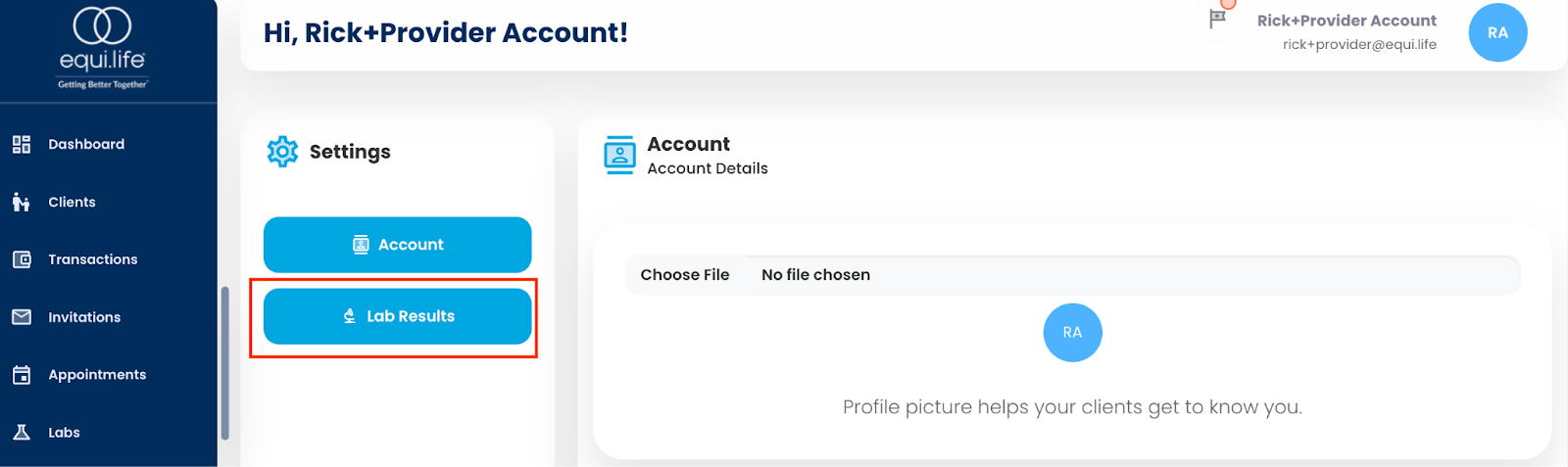
2) On the Account Profile screen, click the “Lab Results” tab on the left hand side.

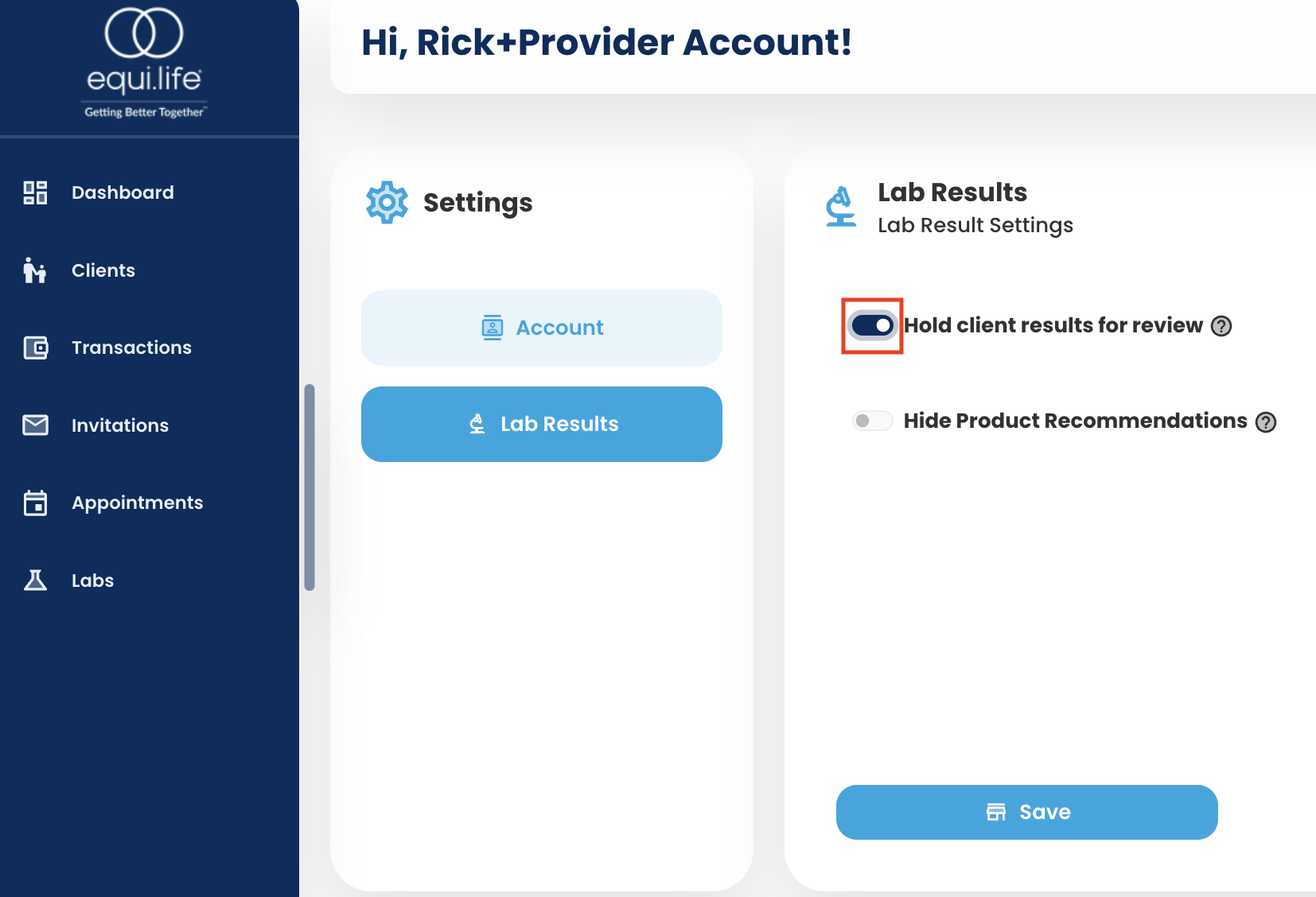
3) You will see a toggle called “Hold client results for review” which will be in the “off” position.
4) Please click that toggle to turn “on” the hold functionality to hold your clients’ lab results.
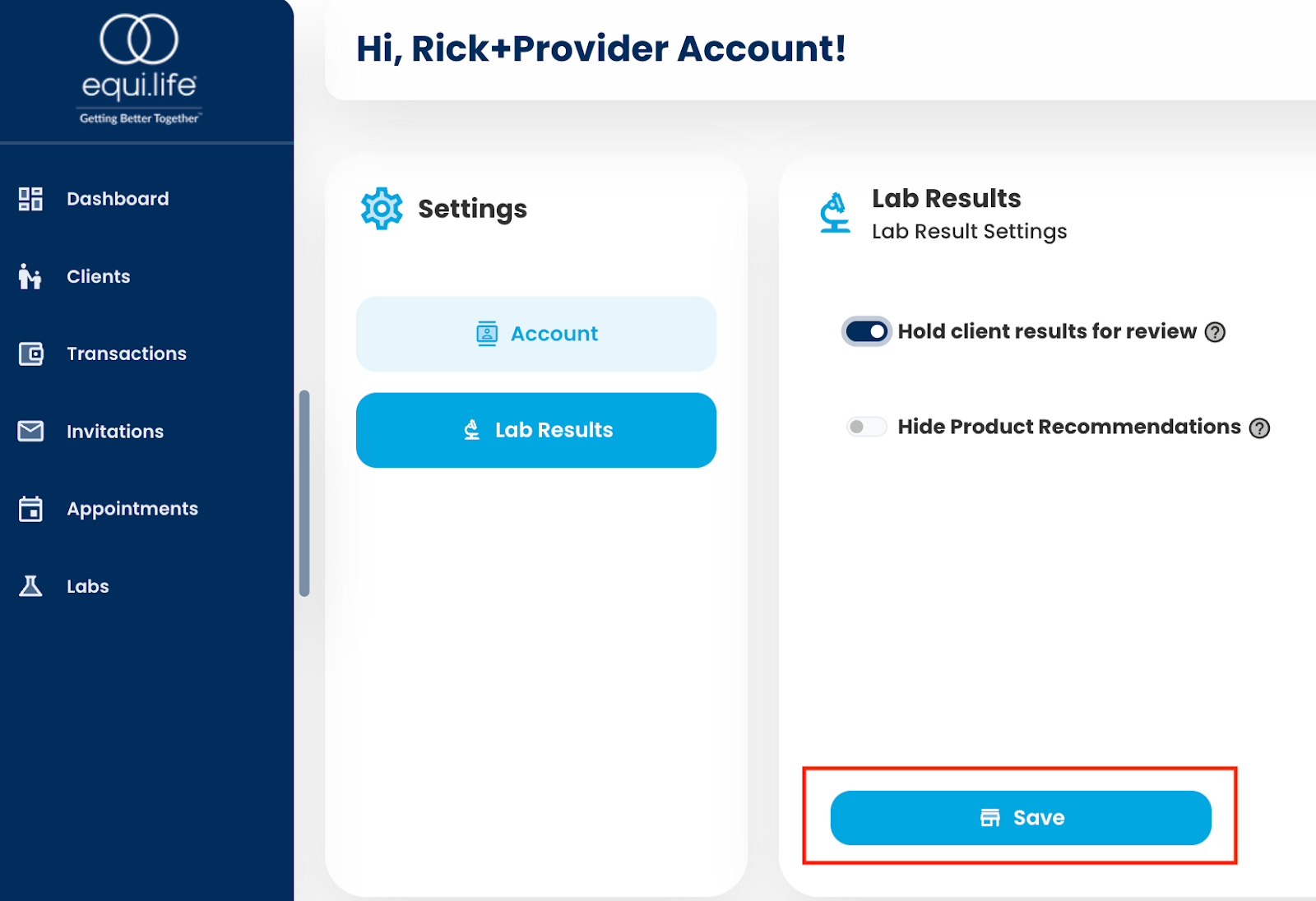
5) Once you’ve toggled “on” the labs hold functionality, please click the “Save” button at the bottom of your screen to activate the functionality.
Notes:
● The hold functionality will be universal for all your clients and all your lab tests. We do
not have the ability to select individual clients or labs to be held.
●Once you have released a lab to a client, that action cannot be reversed.
● Providers have up to 30 days to release the lab results to their clients. If any results are
not manually released by the IHP within 30 days, they will be automatically released to
the clients by the portal.
● If any clients request release of their lab test results, under HIPAA, results must be
released to them immediately.
● When client lab results are received by EquiLife, the client will be notified that they have
a lab test result pending review by their provider. As the Provider, you will also be
notified when client lab results are available for review.
● You are not obligated to hold lab results for review and they may continue to
be released immediately to the client at your discretion